Python+Paddleoc构建OCR识别服务

1、安装PaddleOCR (python环境需要 3.9+, 建议用docker构建python环境)

1
2
# 安装paddleocr(本地调试)
pip install paddleocr

2、编写OCR识别服务代码

app.py

1
2
3
4
5
6
7
8
9
10
11
12
13
14
15
16
17
18
19
20
21
22
23
24
25
26
27
28
29
30
31
32
33
34
35
36
37
38
39
40
41
42
43
44
45
46
47
48
from fastapi import FastAPI
from paddleocr import PaddleOCR
import requests
import uuid
import os
import re

app = FastAPI()
ocr = PaddleOCR(lang="ch", use_angle_cls=True, show_log=False)

_keep_re = re.compile(r"[^\u4e00-\u9fffA-Za-z0-9]+")

@app.on_event("startup")
def warmup():
# 触发模型初始化,避免后台启动立刻请求导致 502 错误
try:
ocr.ocr("/tmp/__warmup__.jpg")
except Exception:
pass

@app.get("/ocr")
def ocr_image(url: str):
# 去掉 url 两边双引号/单引号/空白
url = (url or "").strip().strip('"').strip("'")

img_path = f"/tmp/{uuid.uuid4()}.jpg"
try:
r = requests.get(url, timeout=10)
r.raise_for_status()

with open(img_path, "wb") as f:
f.write(r.content)

result = ocr.ocr(img_path)

text_list = []
for line in result:
for item in line:
text_list.append(item[1][0])

first = text_list[0] if text_list else ""
# 只保留中文/英文字母/数字
first = _keep_re.sub("", first)

return {"result": first}
finally:
if os.path.exists(img_path):
os.remove(img_path)

3、运行OCR识别服务

1
2
# 运行服务(本地调试)
python3 app.py

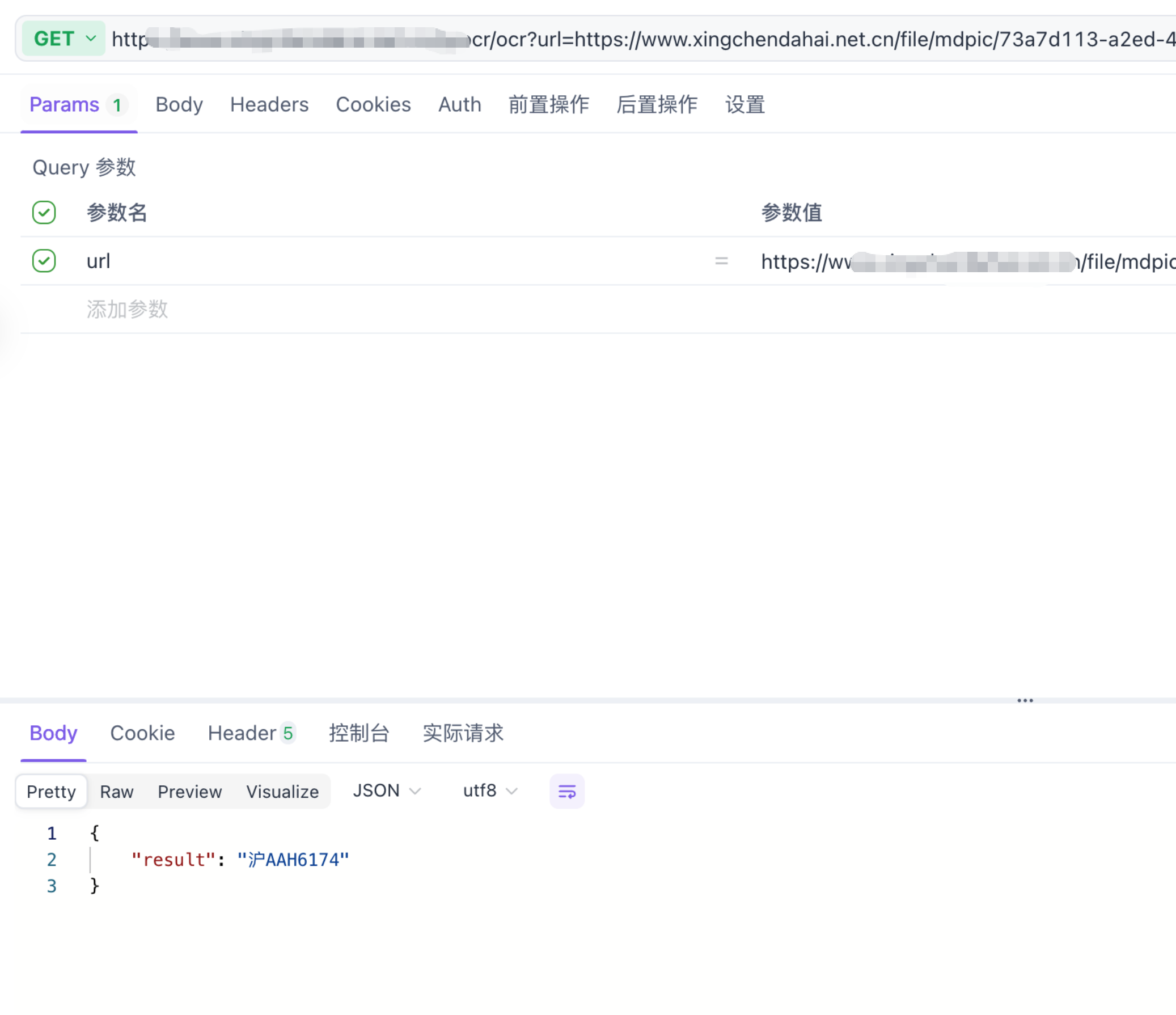
效果如图所示:
alt text

4、部署OCR识别服务

Dockerfile

1
2
3
4
5
6
7
8
9
10
11
12
13
14
15
16
17
18
19
20
21
22
23
24
25
26
27
FROM python:3.9

WORKDIR /app

RUN apt-get update && apt-get install -y \
libgl1 \
libglib2.0-0 \
libgomp1 \
libstdc++6 \
&& rm -rf /var/lib/apt/lists/*

RUN pip install --upgrade pip

RUN pip install paddlepaddle==2.6.1 \
-f https://www.paddlepaddle.org.cn/whl/linux/mkl/avx/stable.html

RUN pip install paddleocr==2.7.3 fastapi uvicorn requests

RUN pip install numpy==1.23.5 --force-reinstall

ENV PADDLE_PDX_DISABLE_MODEL_SOURCE_CHECK=True

COPY app.py /app/app.py

EXPOSE 8000

CMD ["uvicorn","app:app","--host","0.0.0.0","--port","8000"]

注意:

  • 部署时需要注意PaddleOCR的版本与python环境的版本一致,否则会导致运行错误。
  • 部署时需要注意Python镜像选择3.9版本,不要用3.9-slim版本,否则会导致运行错误。
-------------本文结束感谢您的阅读-------------
0%